Choose an extension
Start with a skill unless you need argument substitution, automatic execution, or a new tool. These guides describe Evener on main, not another agent's extension contract. A familiar filename does not imply identical behavior.
| You want to… | Choose | Start here |
|---|---|---|
| Reuse instructions or a checklist | Skill | Create and use a skill |
| Invoke a prompt template with arguments | Command | Create a command |
| Distribute skills, commands, roles, hooks, or server configuration together | Plugin | Load a local plugin |
| Run code at a session or tool boundary | Hook | Add a startup hook |
| Connect an external service as tools | MCP server | Connect a local server |
| Give a delegate a reusable specialist prompt and tool selection | Plugin agent role | Add a delegate role |
A plugin packages extensions; it adds no new execution mechanism. A skill does not create a delegate. A hook runs because an event fires, not because the model chooses it. An MCP server supplies tools the model can call; connecting it does not prove that a tool was called.
Know what you are trusting
Skills and discovered commands insert untrusted instructions into model context. Their wording cannot enforce permissions. Plugin commands can run shell commands and read files while expanding. Command hooks run processes. MCP stdio servers run on the session host; HTTP and SSE servers run wherever their endpoints are hosted. Remote services enforce their own permissions and receive tool arguments.
Review code, requested credentials, and configuration before enabling an extension. The session's sandbox and effective tool policy still apply to local execution. Installation is not permission to bypass them. See sandboxing before giving a server or plugin access to private data.
Check the whole path
flowchart LR
  Files[Create extension files] --> Load[Discover or configure at launch]
  Load --> Invoke[Select a skill, invoke a command, trigger a hook, or call a tool]
  Invoke --> Verify[Inspect activation, output, or tool result]
  Verify --> Remove[Remove configuration and start a new session]
Loading is not invocation. Verify the observable result named in each guide, then remove the configuration and check a new session. Removing files cannot retract instructions already delivered or undo external effects.
Try local extensions
First follow the linked setup guides for the extensions you need. Put the skill in your project's skills/change-summary/SKILL.md and the command in .evener/commands/summarize-change.md. Inspect existing files before copying. Keep the plugin directory and compiled MCP server on the machine running Evener. The example files are optional source examples, not files bundled with an installed evener command.
From your project directory, invoke an installed command. Replace provider/model with an available model from your configured provider:
evener --model provider/model "/summarize-change review-42"Check that review-42 reaches the expanded session input. For the plugin example, pass its actual directory to --plugin-dir and invoke /hello-plugin:hello review-42. Look for the plugin load and startup-hook records, not just a greeting. See local plugin setup.
For the echo server, follow MCP setup, then ask Evener to call example__echo with a fresh identifier. Inspect the tool result: it should return that identifier unchanged. An assistant's claim that it called the server is not evidence of a tool call. To check the skill, ask Evener to use change-summary and inspect its activation and use_skill result.
Use the configured workspace in the web hub
Install files and configure extensions on the host first. The browser does not install these examples. Set EVENER_EXAMPLE_MCP_SERVER to the compiled server's absolute path in the environment that starts the hub. Configure plugin_dirs and mcp_configs in the host's launch defaults, using absolute paths; see configuration. Start a new session in the prepared workspace.
Enter /summarize-change review-42 as the prompt. In the session composer, send /hello-plugin:hello review-42. Ask for the skill and echo tool separately, then inspect their runtime records and compare the workspace with its initial state. These examples request no file edits. A missing server or invalid configuration is a setup failure, even if the assistant still answers.
For cleanup, stop the test session, restore the launch and MCP configuration you changed, and remove only example files you installed. Start a new session to check that the removed extensions are no longer loaded. Unsetting a variable in your shell does not change an already-running hub's environment.
What the automated walkthrough proves
The tour manifest and review process record the capture revision and source digest. CLI images render recorded command output; web images capture the browser. Neither proves live-provider authentication, model quality, or native behavior.
The CLI and web tours execute the real examples with scripted model responses. They check command-argument routing, skill delivery, plugin execution, the startup hook's identity and exit code, a call-ID-correlated MCP nonce, and unchanged workspace contents, paths, and modes. The MCP server runs as a compiled process over OS stdio. No marketplace installation or hosted provider is needed.
CLI evidence includes the plugin-loaded event. Web verification combines the recorded startup hook, effective plugin directory, and plugin-command routing; the transient plugin-loaded announcement is not retained by thread/read. Scripted tool choice proves integration, not that a model follows the skill or chooses the requested tool. Native verification is deferred. Contributor setup and check commands belong in the example README.
Captured walkthrough
These checkpoints use a scripted fake provider, not live-provider authentication. CLI images render recorded command output; web images are browser screenshots. Owned temporary paths are masked. Native verification is deferred. See the capture provenance and review process.
CLI transcript checkpoints
Entry. Three copy commands install the example skill file, command file, and MCP configuration.
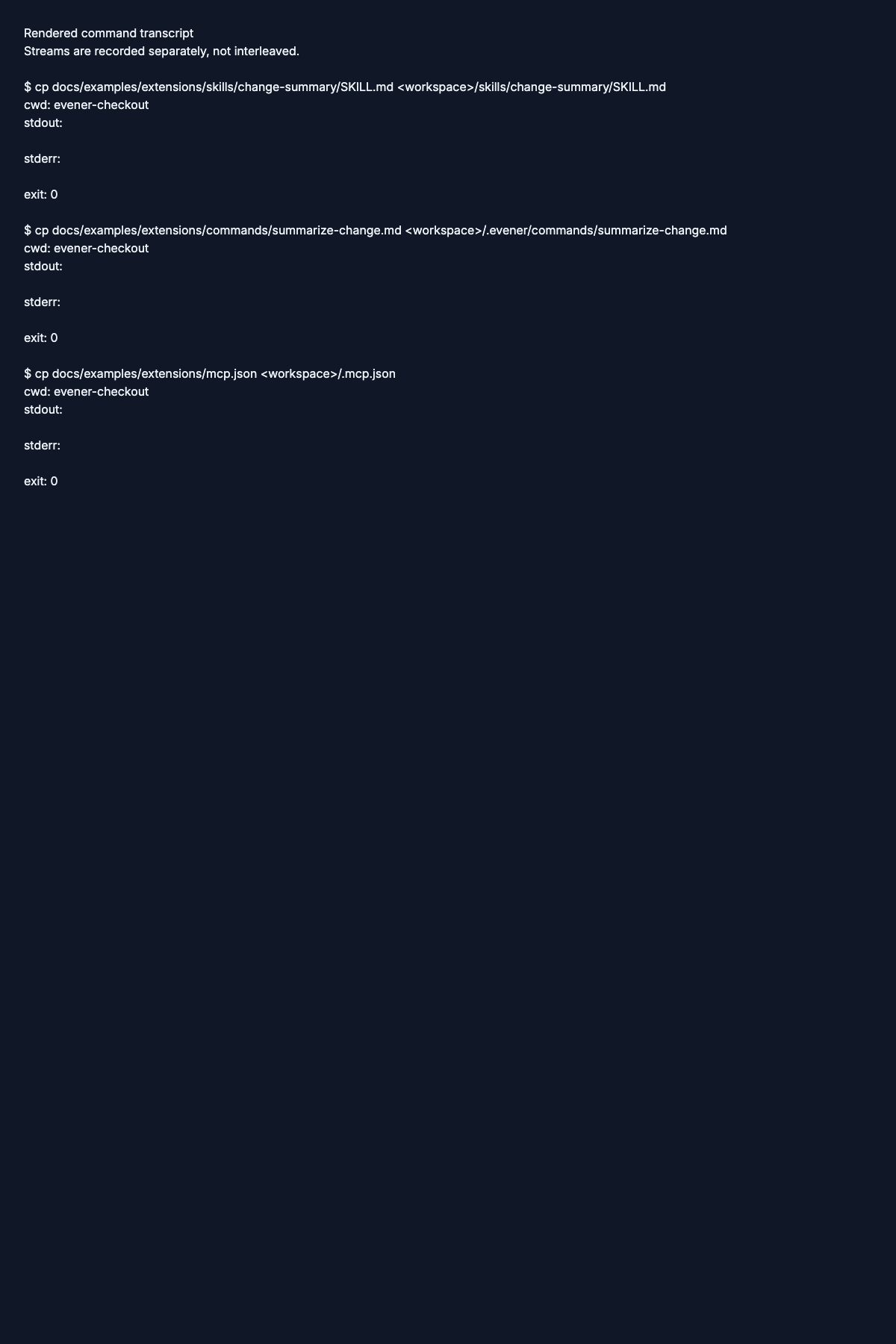
Read the entry command transcript.
Action. The event output lists the startup hook, loaded plugin, activated skill, and matching MCP call and result.
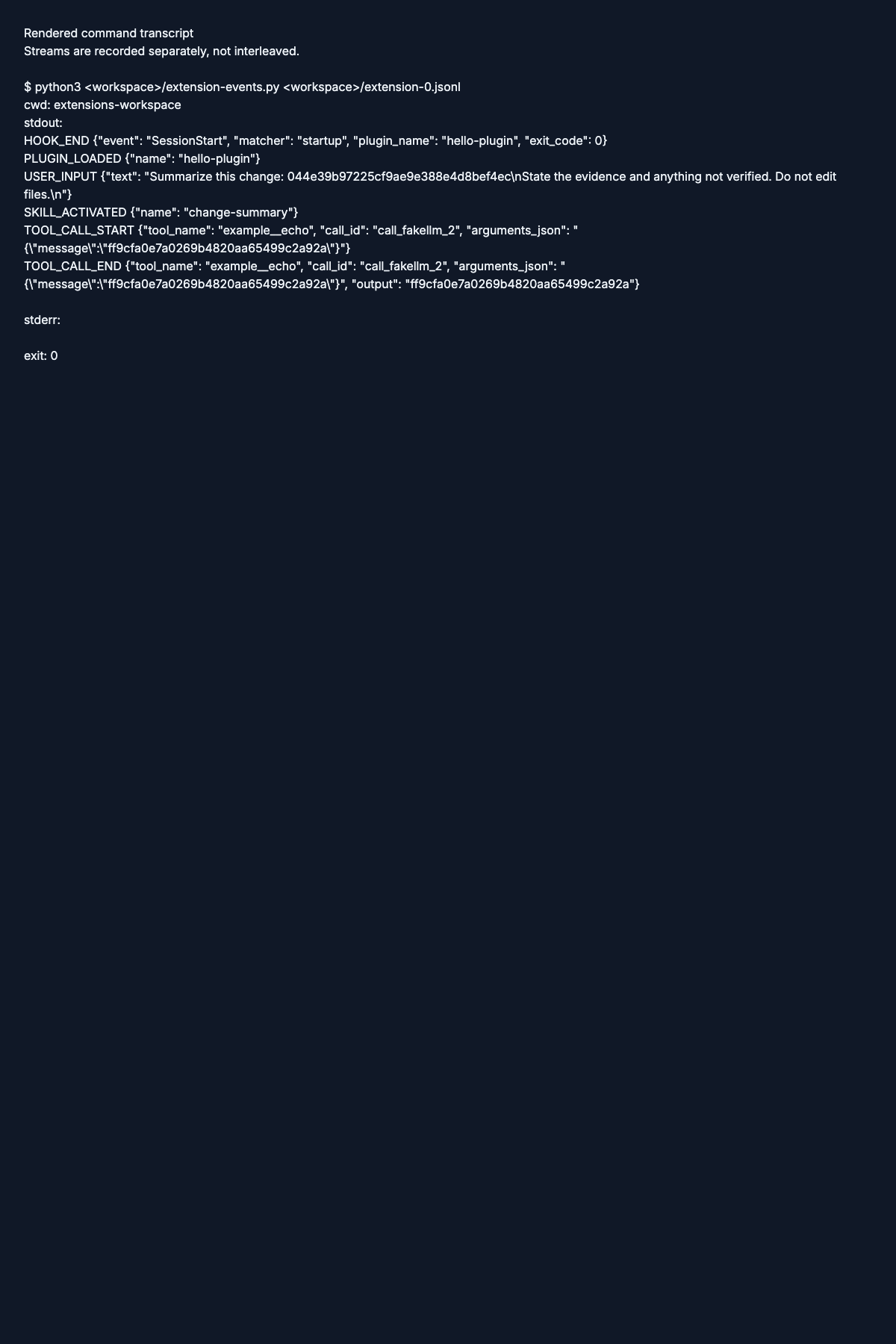
Read the action command transcript.
Verified. The event output includes a second startup hook and the expanded greeting request.
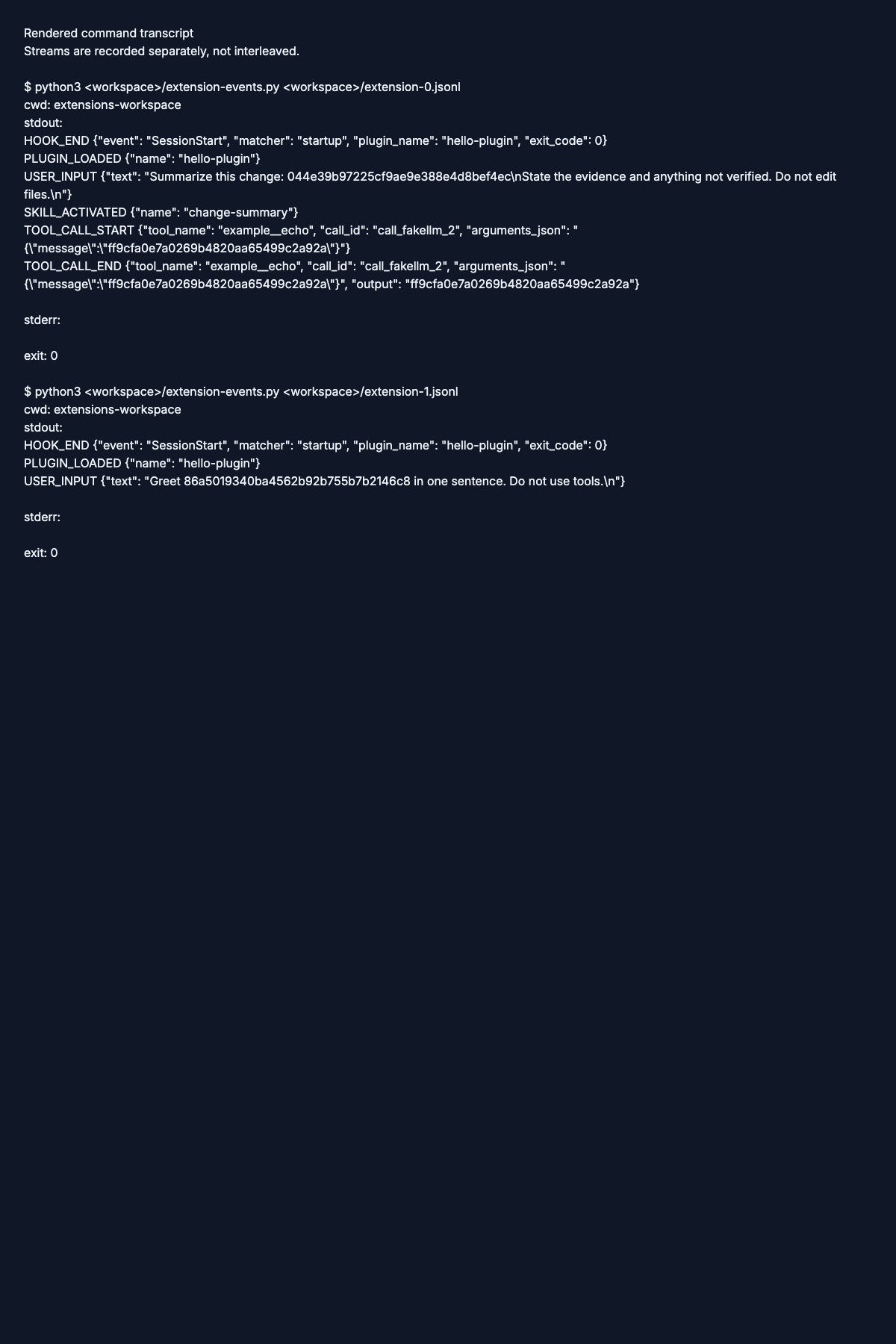
Read the verified command transcript.
Web checkpoints
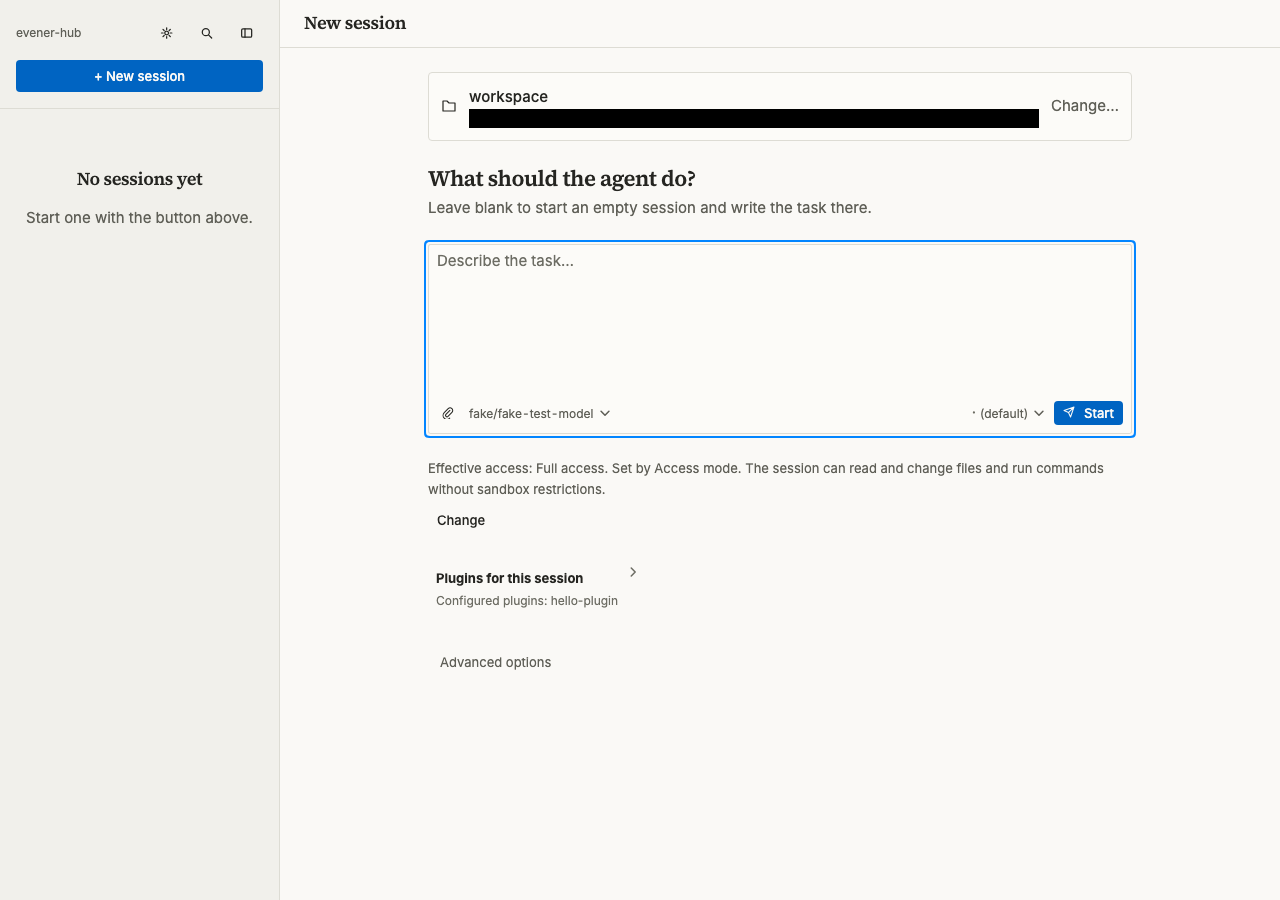
Entry. The New session form lists hello-plugin under configured plugins.
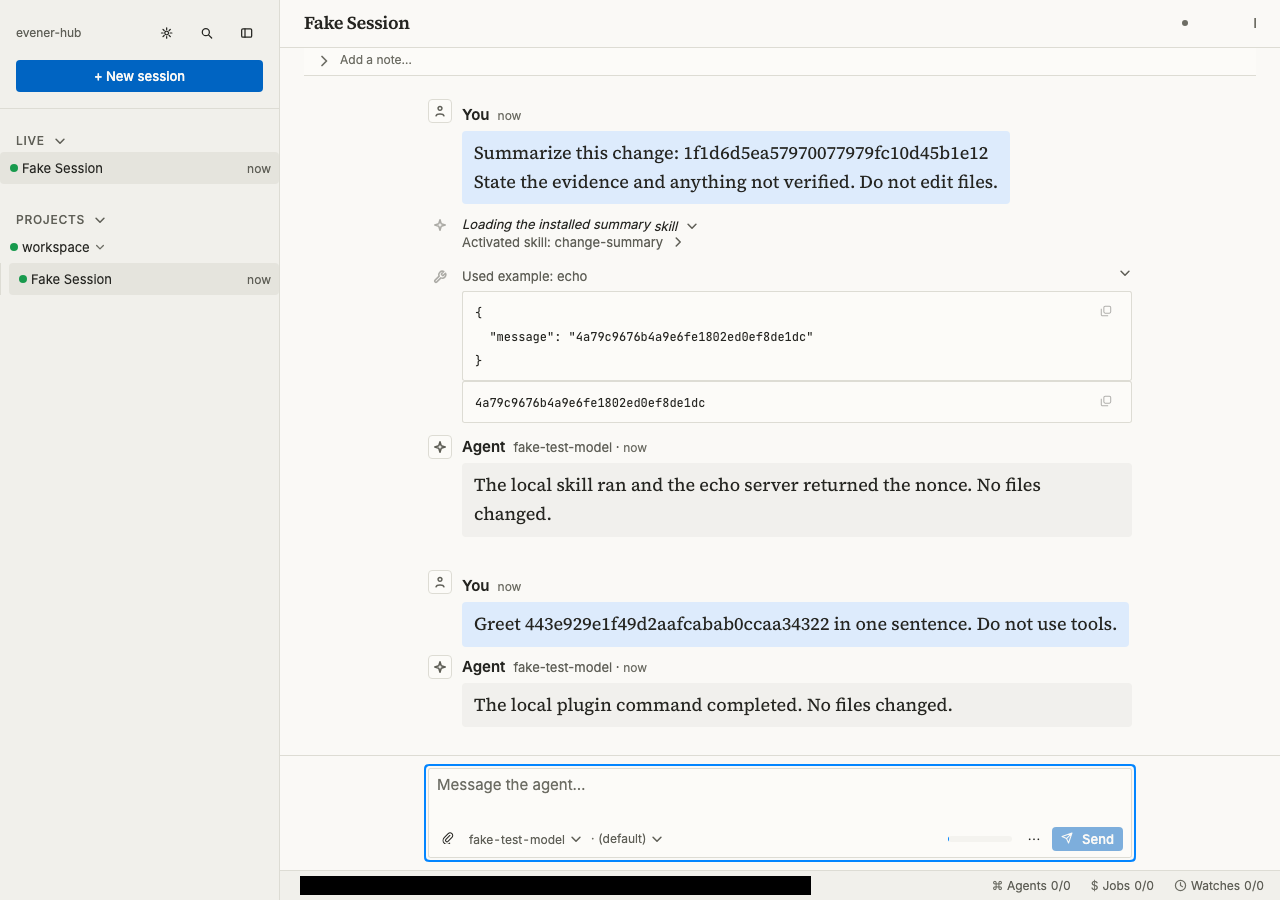
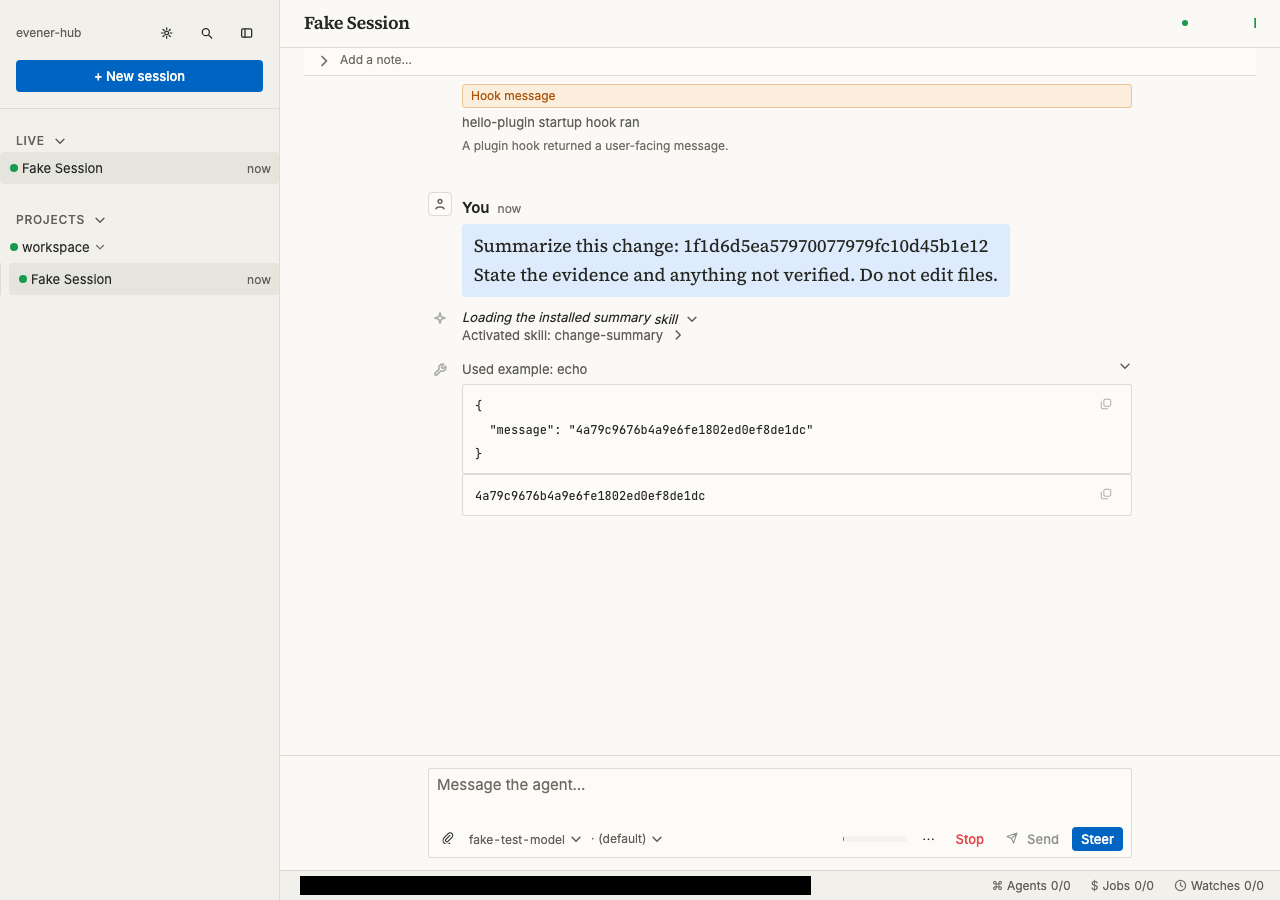
Action. The conversation shows the startup-hook message, activated skill, and matching echo input and output.
Verified. The conversation shows the expanded greeting request and the agent's report that the plugin command completed.